Business Automation · New Zealand
Business Process Automation
for NZ Businesses
Stop paying people to do work that software can do. We automate the repetitive tasks across your business — lead follow-up, invoicing, reporting, internal notifications — so your team focuses on work that actually matters.
Sound familiar?
These are the most common signs your business is ready for automation — and costing you more than you realise by staying manual.
Copying data manually between your CRM, email, and accounting software
Chasing overdue invoices or following up leads that go cold
Sending the same emails and reminders repeatedly by hand
Pulling together weekly reports from multiple disconnected tools
Staff spending hours on admin that adds no real business value
Errors from double-entry and processes that rely on memory
What we automate for NZ businesses
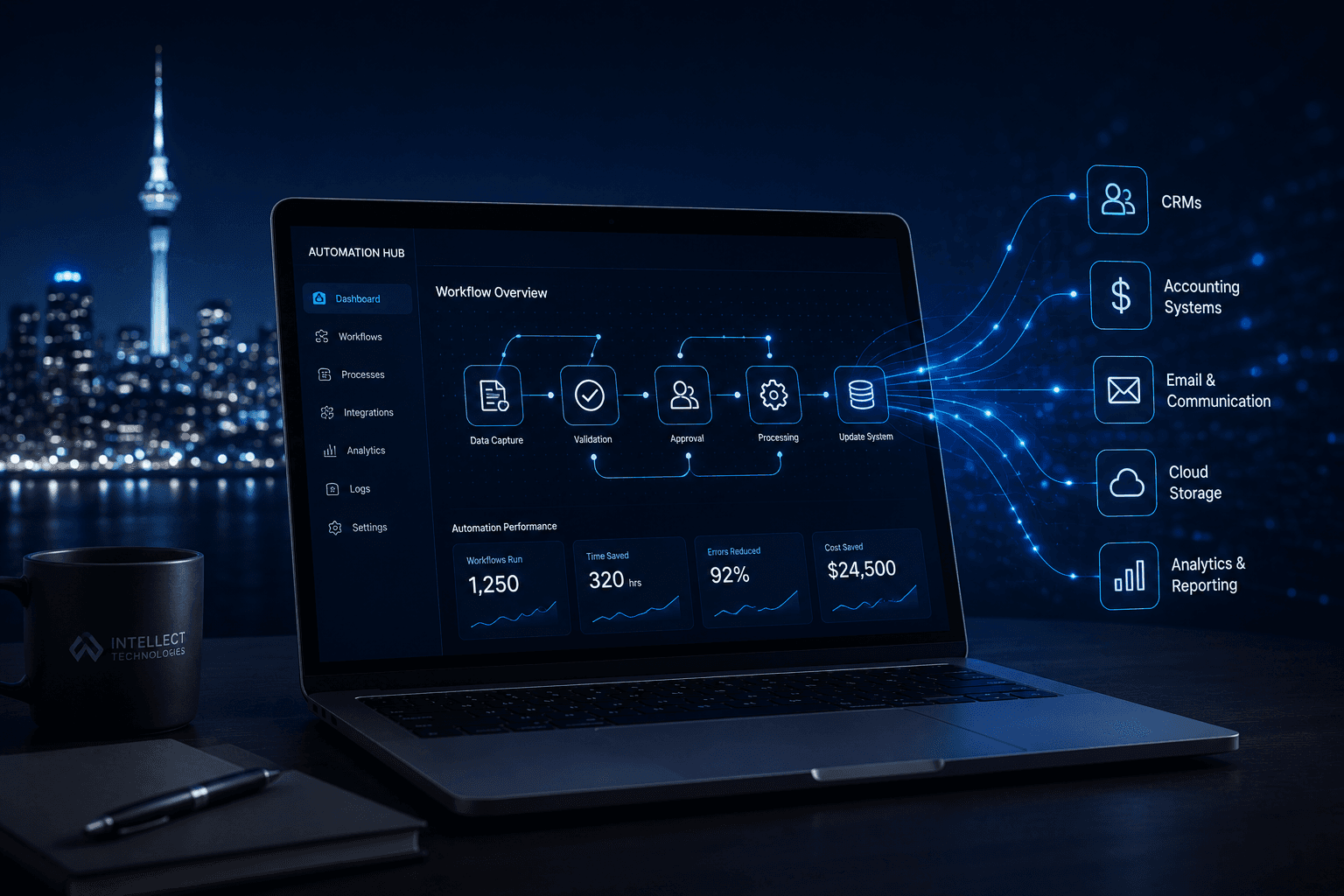
We use tools like Zapier, Make, and custom API integrations to connect your existing software and remove the manual steps between them.
Lead Capture & Follow-Up
Every new enquiry from your website, ads, or email is automatically added to your CRM, followed up with a personalised message, and assigned to the right person — within seconds.
Invoice & Payment Automation
Invoices triggered automatically when a job is completed. Payment reminders sent at defined intervals. Overdue notices escalated without anyone lifting a finger.
Internal Notifications & Handoffs
When a lead progresses, a job is booked, or a milestone is hit — the right person gets notified in Slack, email, or SMS automatically. No more manual status updates.
CRM & Data Sync
Your website, CRM, accounting tool, and inbox stay in sync. One update in the right place flows everywhere else — no double-entry, no outdated records.
Booking & Scheduling
Clients book directly from your site into your calendar. Confirmations, reminders, and follow-ups all go out automatically. Cancellations update every connected system.
Reporting & Dashboards
Weekly performance reports generated and emailed automatically. Real-time dashboards that pull from every system so you always have the full picture without the manual effort.
What our clients typically see
Of recurring admin tasks can typically be fully automated
Saved per week per team member on average
To build and deploy your first automation workflow
How we work
Free Process Audit
A 30-minute call to map your current manual processes, identify the highest-friction tasks, and agree on what to automate first.
Scoped Proposal
We define exactly what gets built, what tools are involved, and what the outcome looks like — with a fixed price, not an open-ended retainer.
Build & Test
We build the automations, test every trigger and scenario, and document everything clearly so you understand what runs and why.
Handover & Support
We walk you through what was built, make sure your team knows how to manage it, and offer ongoing support if you want to keep improving.
In Detail
What you actually get
Most businesses have the same pattern: information typed into one system, copied into another, then emailed to someone to chase. We map where time is really going, then automate the repeatable parts and put AI where judgement-like tasks such as reading, sorting and drafting can be done reliably.
We do not automate for its own sake. Each workflow is chosen for measurable effort saved or errors removed.
Process discovery
- ✓Walkthroughs with the people who do the work
- ✓Mapping of current steps, systems and handoffs
- ✓Ranking by effort, error rate and business impact
- ✓A clear automation roadmap
Workflow automation
- ✓Triggers, rules and approvals built and tested
- ✓Integration between your systems
- ✓Error handling and retry logic
- ✓Human-in-the-loop steps where a person should decide
AI-assisted tasks
- ✓Document and email classification and extraction
- ✓Drafting of replies, summaries and reports for review
- ✓Data entry from forms, PDFs and attachments
- ✓Confidence thresholds so uncertain cases go to a person
Rollout and training
- ✓Parallel run alongside the manual process
- ✓Staff training and short how-to guides
- ✓Monitoring after go-live
- ✓Handover to your team or a support retainer
Tools and technology
We work with what you already use wherever we can, and recommend alternatives only when there is a clear reason.
Automation
AI
Business systems
Is this the right fit?
We would rather tell you up front.
Likely a good fit if
- ✓Staff spend hours each week on repeatable admin
- ✓Data is re-keyed between systems
- ✓Approvals and handoffs are slow or inconsistent
- ✓You want measurable time and error reduction
Probably not the right fit if
- –The underlying process is undefined or changes daily, so fix the process first
- –The task happens a few times a year
- –A simple setting in a tool you already own would solve it, in which case we will tell you
How we can work together
Fixed-scope project
A defined outcome, scope and timeline agreed in writing after discovery. Best when requirements are clear.
Phased delivery
A roadmap broken into releases, each delivering working software. Best for larger platforms where priorities will evolve.
Ongoing support or retainer
Monitoring, fixes and improvements after launch, so the system keeps pace with the business.
More detail on how we work
What happens when an automation fails?
Failures are logged, retried where appropriate, and surfaced to a named person, never silently dropped. We design for failure from the start.
Will AI make mistakes with my documents?
It can, which is why we set confidence thresholds, route uncertain items to a person, and test against your real documents before launch.
Do we need to change the tools we use?
Usually not. We connect what you already have. If a tool is a blocker, we will say so and explain the options.
Who owns what we build?
You do. Source code, configuration, data and documentation are yours, agreed in writing before work starts. We avoid proprietary lock-in and document what we build so another team could take it over.
Common questions about business automation
How much does business automation cost in New Zealand?
Most business automation projects are fixed-scope and fixed-price. Simple workflow automations (connecting two or three tools via Zapier or Make) can start from a few thousand dollars. Full custom automation builds — covering lead capture, invoicing, internal notifications, and reporting — typically range from $8,000 to $30,000 NZD depending on complexity. We give you a fixed price before any work starts.
What business processes can you automate?
Common automations for NZ businesses include: lead follow-up from website enquiries, invoice creation when a job is completed, payment reminders for overdue invoices, internal notifications when deals progress, data sync between your CRM, accounting (Xero, MYOB), and project management tools, and automated weekly reporting. If a task happens on a regular basis and follows a consistent pattern, it can almost certainly be automated.
Do we need to replace our existing software?
In most cases, no. We work with the tools you already use — Xero, HubSpot, GoHighLevel, Shopify, Google Workspace, and others — and connect them together using automation. Replacing existing software is only recommended when a tool is genuinely blocking the automation you need.
How long does a typical automation project take?
A focused workflow automation (such as connecting your CRM to Xero for automatic invoice creation) typically takes 2–4 weeks from scope to go-live. Full operational platform builds run 8–12 weeks. We give you a fixed timeline upfront and deliver on it.
Can you integrate with Xero, HubSpot, Salesforce, and other NZ business tools?
Yes. We regularly integrate with Xero, MYOB, HubSpot, Salesforce, GoHighLevel, Zoho, Shopify, WooCommerce, Zapier, Make, Calendly, Google Workspace, Microsoft 365, Slack, and most other tools with an API. If you are unsure whether your software can be connected, ask us — the answer is usually yes.
What ongoing support do you provide?
After go-live, we offer optional monthly support plans to monitor automations, add new workflows, and keep integrations current as your tools update. If you prefer, we hand over completely with full documentation and a training session — there is no lock-in either way.
Where to look next
Industries we apply this in
Specialist pages
Case studies
From the blog
Start with a free process audit
In 30 minutes, we will identify the two or three automations that would make the biggest difference to your NZ business — and tell you exactly what it would cost to build them.
Book a Free Audit